C:\1980S\HYPERCAR.TXT
1987
HyperCard: A Stack of Cards Becomes an Application
HyperCard let Macintosh users move from browsing information to designing cards and scripting the behavior of their own small applications.
A personal collection of information tends to outgrow its first container. A list becomes several lists. Some entries need pictures. Some need a note explaining why they are there. Eventually you want to select an item and go somewhere related, which is a rather reasonable ambition for a computer to accommodate.
Apple’s HyperCard gave Macintosh users a visible way to do that. Information lived on cards, cards belonged to stacks, and buttons could lead to other cards. You could browse somebody else’s stack, change a field, paint a card, arrange objects, or write the scripts that made the objects behave.
The path from reader to author was unusually short. A button didn’t merely suggest that programming had happened somewhere. You could open its script and see the small piece of programming responsible.
Atkinson’s cards, Winkler’s language
Bill Atkinson created HyperCard at Apple, releasing it in 1987. It brought hypertext ideas to a broad Macintosh audience, though linked information had a much longer research history. HyperCard wasn’t the invention of hypertext, and it wasn’t the World Wide Web before the Web had acquired a name.1
Dan Winkler’s work on HyperTalk, the scripting language, was essential to the environment’s accessibility. In a later Computer History Museum interview, Atkinson describes specifying an approachable language and Winkler implementing it. The interface and the language were parts of the same attempt to make small applications comprehensible to their authors.2
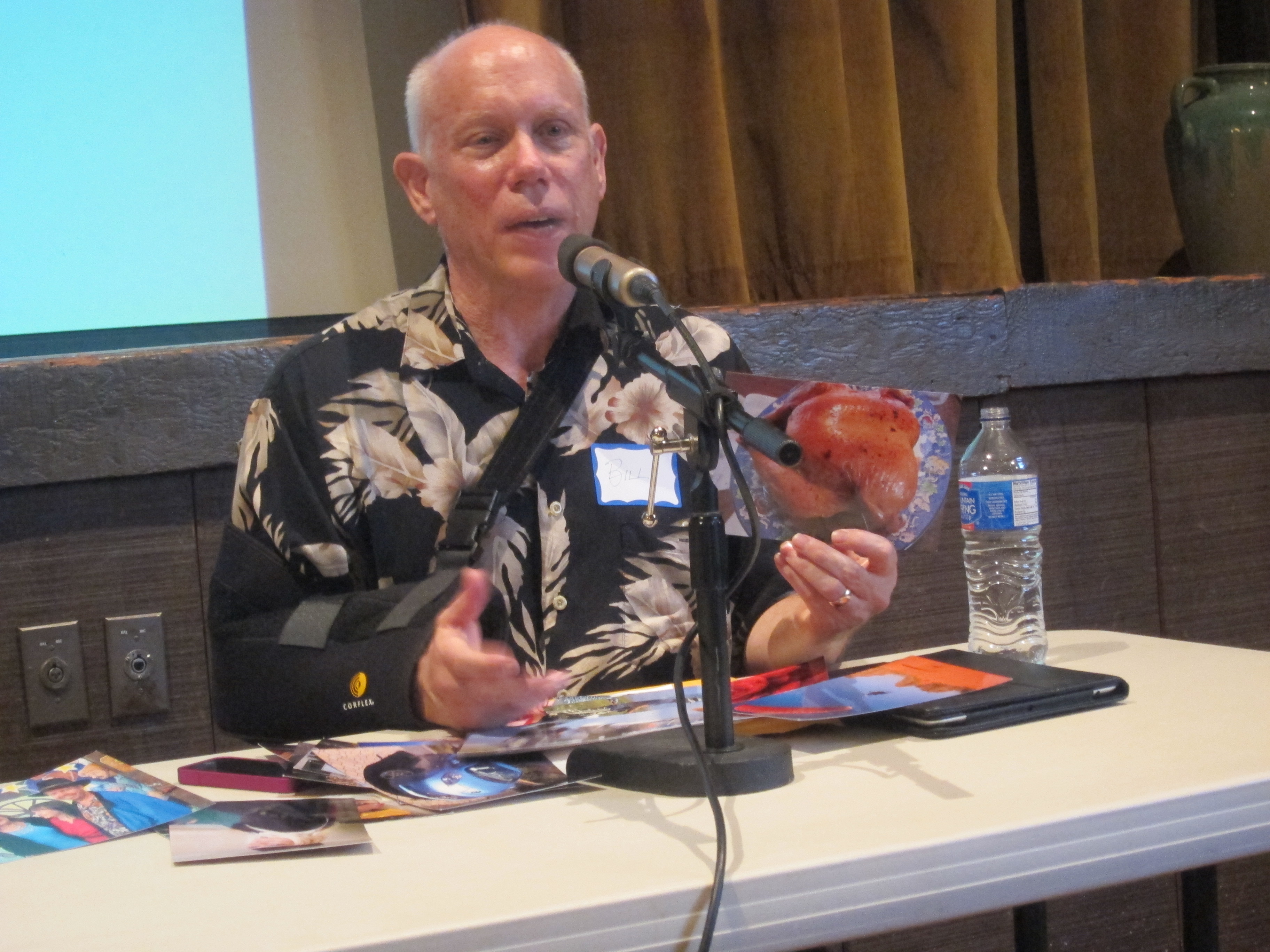
Bill Atkinson at the 25 Years of HyperCard event, 2012. Photograph by Jay Cross, source, CC BY 2.0. Later photograph; no alterations.

Apple’s original 1987 user guide is revealing about the intended progression. It describes browsing and editing, then customizing, followed by text, graphics, and commands. User levels expose increasing capabilities, from browsing through scripting. The author needn’t encounter every facility on the first afternoon.3
Apple distributed HyperCard with Macintosh computers, giving the environment a route into ordinary users’ hands. Existing example stacks also gave people something to inspect and modify. Distribution mattered because an authoring system is more inviting when a working example is already present.13
A card is both page and place
A card holds a screen’s worth of visible material: artwork, text fields, and buttons. It can present a record, a menu, a lesson, or a scene. The stack groups the cards into a saved body of information and behavior.
That metaphor supplies an immediate starting point. An address collection can become one card per person. A set of recipes can have one card per dish. Buttons can connect an index to the relevant entries without requiring the reader to understand the storage arrangement.
The important difference from a printed card file is behavior. A button can navigate, search, calculate, or change text. The card becomes an interface to data, while the stack becomes a small application. The author can begin with familiar information organization and add programming where it becomes useful.
But the metaphor also imposes constraints. Information is organized into cards and stacks, with the original Macintosh’s fixed card display and monochrome bitmap artwork. That is an excellent structure for many small tools; it is less natural for every imaginable application. An inviting model doesn’t become universal by being inviting.
Share a design, keep separate records
Repeating the same button and field arrangement on every card would be tedious. It would also make corrections expensive. If you move a telephone field on fifty address cards individually, you have created fifty opportunities for a slightly different idea of “aligned.”
HyperCard’s background provides common material for cards that share it. The background can hold repeated artwork, buttons, and fields. Each card can add its own material. The original guide explains this as a way to maintain shared elements across a group of cards.3
There is a crucial distinction between sharing a field’s definition and sharing its text. In an address stack, a background field can occupy the same location on every card while containing a different person’s telephone number. A fixed label or heading can instead belong to the common background artwork. The author needs to distinguish the reusable form from the records entered into it.
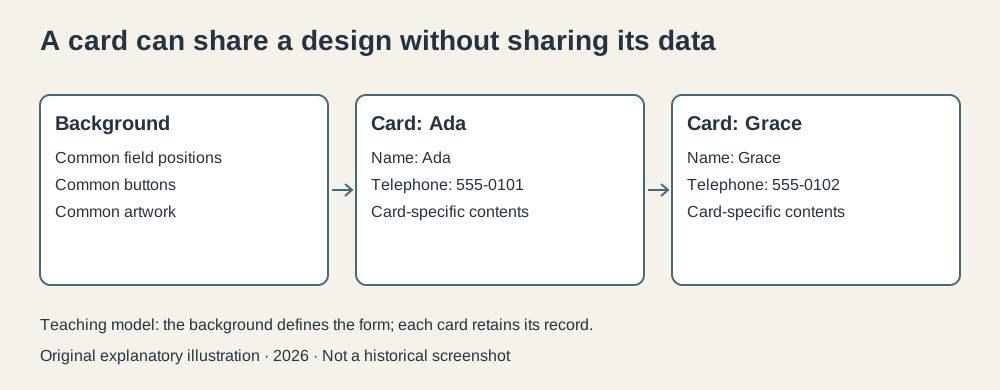
Original explanatory illustration, 2026. Invented records and telephone numbers. The background supplies the form while individual cards supply the records; this is not a historical screenshot.
Imagine an address stack with two invented records, Ada and Grace. Both use background fields named Name and Telephone. Ada’s card holds 555-0101; Grace’s holds 555-0102. Moving the Telephone field in the shared background changes its placement for both. Changing Ada’s number changes Ada’s record, while the other card retains its own number.
This separates layout maintenance from record maintenance. The distinction is small enough to fit in a beginner’s explanation and powerful enough to support an application. It also makes a mistake understandable: if an address has been painted into the common background rather than entered as record text, it will appear where an individual value was intended.
Give a button a reason to exist
The simplest useful script can be very small. Here is an original teaching example, using the period HyperTalk handler and navigation forms documented in Apple’s 1989 beginner’s guide:
on mouseUp
  go to next card
end mouseUp
When the user releases the mouse button on the object, HyperCard sends it a mouseUp message. The handler contains the instructions for that event. Here it moves to the next card. A second button could use go to previous card.
The names read comfortably, but they remain a programming language. on and end delimit a handler. mouseUp is the message’s name. go is a command with defined grammar. A computer doesn’t infer the author’s intent from general English fluency; it recognizes a particular language that happens to use familiar words.4
That familiarity helps because users can make a meaningful small change. Replacing next with previous is comprehensible. Naming another card gives a navigation button a destination. A working script becomes a starting point rather than an opaque executable.
The application becomes more interesting when a button checks or changes information. For example, a calculator stack can read values from fields, compute a result, and place it in another field. The interface designer and programmer can be the same person, working on the same visible objects.
A click can travel through the stack
Not every button needs its own copy of every instruction. HyperCard’s message hierarchy lets objects cooperate.
In the simple case, a button receives a message. If its script doesn’t handle it, the message can pass to the card, then to the background, then the stack, and ultimately HyperCard itself. A handler can also explicitly pass a message onward. The 1989 guide documents this hierarchy and the use of handlers.4
Suppose several navigation buttons should perform a common check before leaving a record. Duplicating the check in every button makes later corrections awkward. Placing common behavior at an appropriate level provides one definition that multiple interactions can reach.
This resembles a broader software design principle: keep common behavior where it can be reused, while allowing more specific objects to handle particular cases. HyperCard makes the principle visible through objects the author can select on the screen.
There is a tradeoff. Behavior can reside somewhere other than the button the user clicked. Diagnosing a surprising result may require following the message path through several scripts. The architecture removes duplication, but a larger stack still needs organization. Even friendly programming environments cannot grant amnesty from complexity indefinitely.
Hypertext without an internet address
HyperCard’s links were useful for nonlinear reading. An index could connect to topic cards; related topics could connect to one another; a lesson could branch according to a response. The sequence of cards no longer had to be the only reading sequence.
The original system was nevertheless local. Ordinary navigation moved among cards and stacks available to the Macintosh, rather than fetching web pages by URL through HTTP. Sharing a stack meant sharing the saved artifact, using the means available to the user.15
That boundary matters. The Web’s system of identifiers, network retrieval, and interoperable documents solved a different scale of problem. HyperCard demonstrated a compelling authoring experience for linked interactive information, and it influenced people’s expectations. Calling it a browser erases the mechanisms that would make a browser work.
I find its local quality part of its appeal as a historical tool. A stack could contain the information, the interface, and much of the behavior in an inspectable package. The person modifying it didn’t first need to assemble a server and a deployment process. There was simply a card and something useful to put on it.
The approachable part was the route into authorship
HyperCard didn’t abolish programming. It offered several stopping places before an author needed much of it. Someone could use an existing stack, edit its contents, alter its appearance, add a button, and finally adjust or write a script.
Each step could produce a useful result. That is different from a development environment in which the beginner must learn a large setup procedure before seeing any behavior. Here the object that needed changing was already visible, and its code was nearby.
The script examples here were checked against Apple’s period guides, rather than executed in an original HyperCard installation. The two-card sharing example is a teaching model. Those limits don’t diminish the underlying design; they keep the explanation honest about what has been reconstructed.
HyperCard’s most persuasive historical lesson is that people often have sensible ideas for small software tools, and that the route from idea to first working result matters. It made the next step available from the place where the user was already working.
The button could be opened. That was an invitation with considerable consequences.
Footnotes
-
Computer History Museum, 1987 timeline entries for HyperCard, covering creation, distribution, and the standalone boundary. Broad influence claims in that summary are not treated as proof of particular technical inheritance here. ↩ ↩2 ↩3
-
Bill Atkinson and Andy Hertzfeld, Computer History Museum interview and demonstration, 2015, HyperCard discussion around transcript pages 26–29. ↩
-
Apple Computer, HyperCard User’s Guide, 1987, user levels, card/background design, fields, and authoring. ↩ ↩2 ↩3
-
Apple Computer, HyperTalk Beginner’s Guide, February 1989, navigation examples, handlers, and object hierarchy. Used as a period reference, not evidence that later HyperCard 2 features shipped in 1987. ↩ ↩2
-
Library of Congress, HyperCard Stack File Format description, preserving the distinction between stacks and other hypertext/network formats. ↩